How to draw football plays in PowerPoint or Google Slides
Plenty of coaches draw their playbook in PowerPoint or Google Slides, and it works. Here is how to do it quickly in either one, a free template with ten formations already lined up on a real field, and an honest word on where slides stop being the right tool.
Free, no account. A PowerPoint file (1452 KB) that opens in PowerPoint, Keynote and Google Slides.
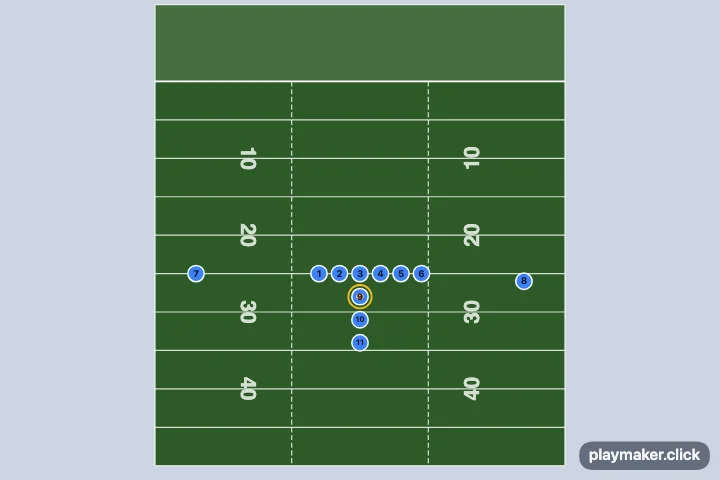
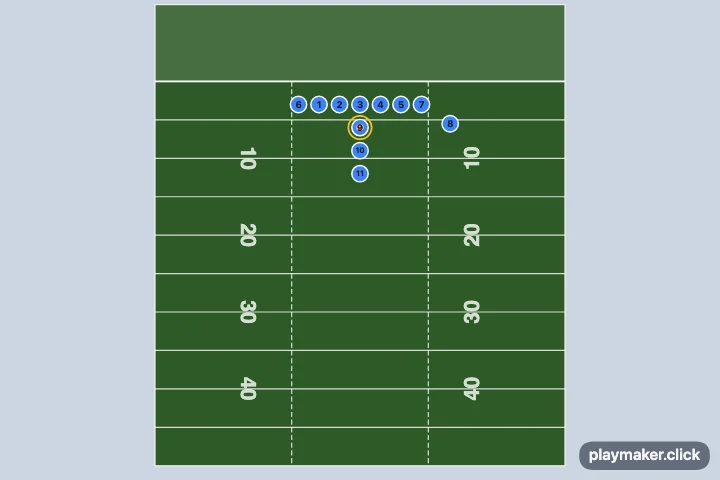
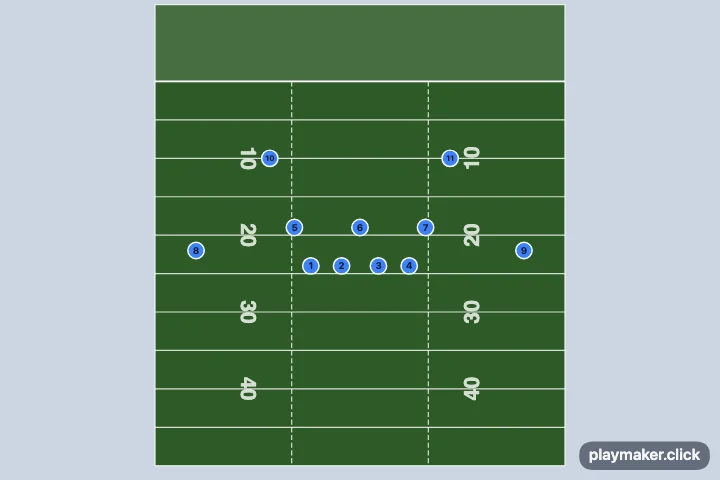
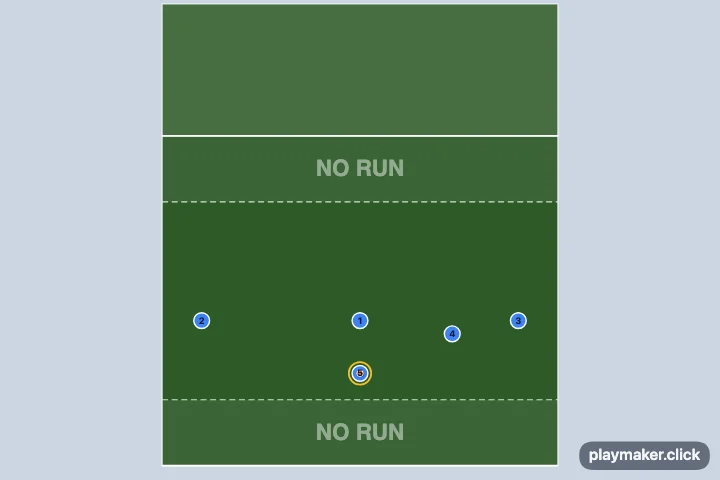
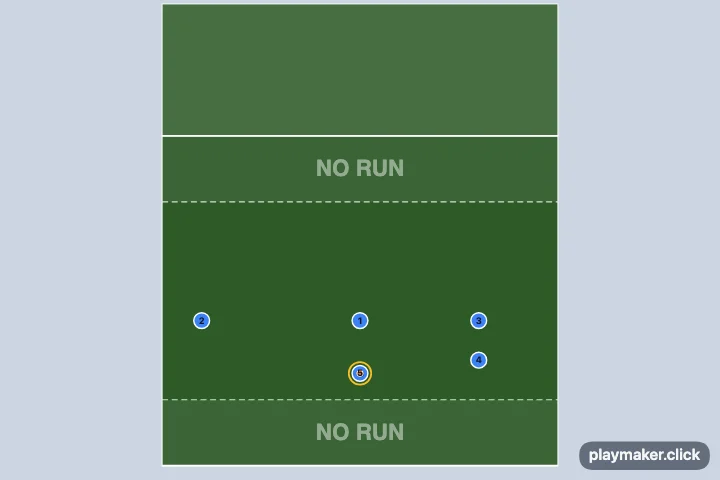
The 10 formations in the template
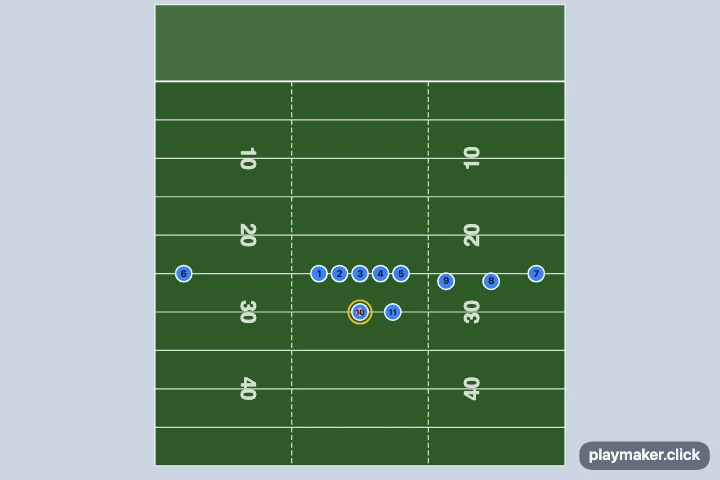
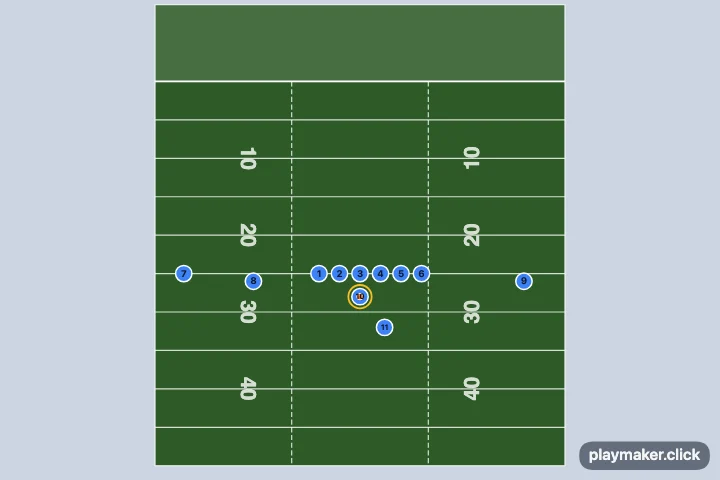
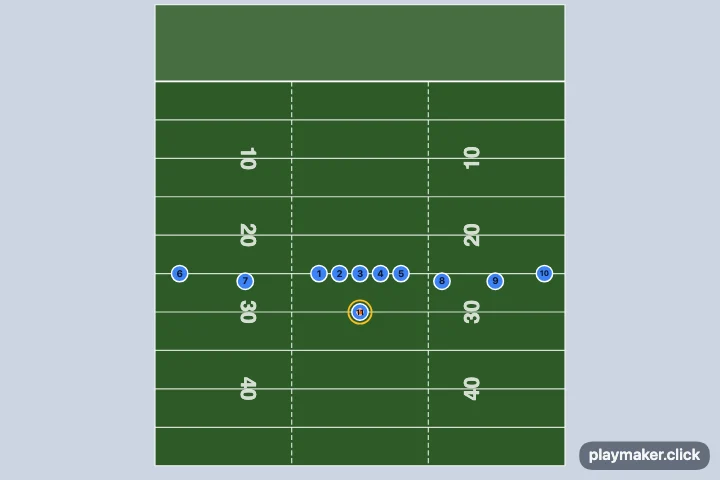
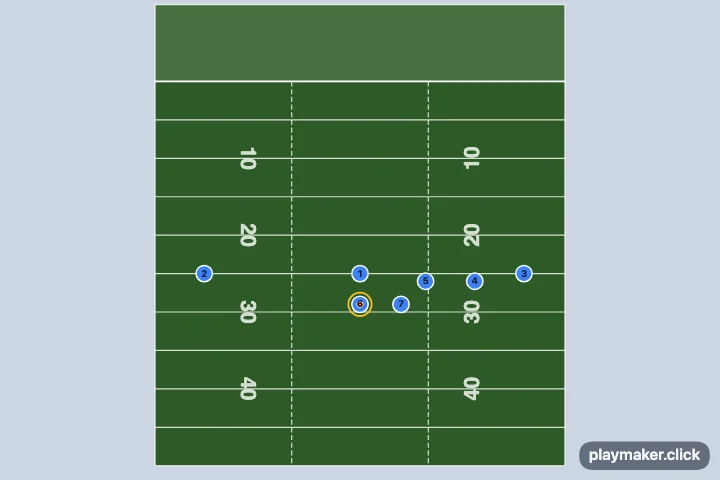
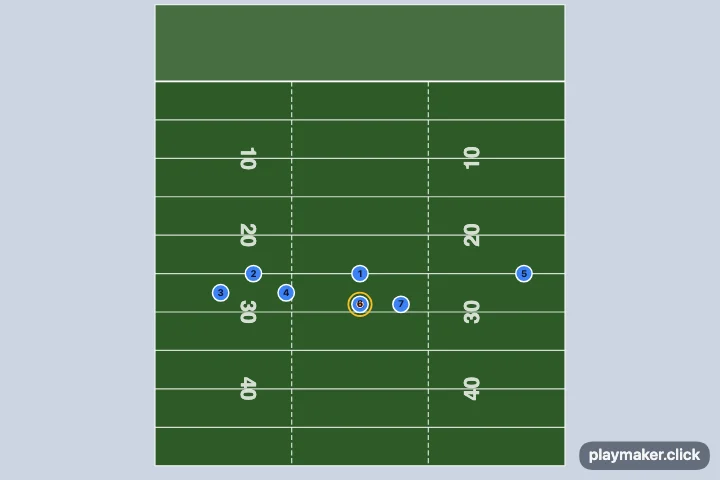
One per slide, with who lines up where, and 2 blank fields at the end. Every slide links to the same formation in Playmaker, where you can draw the routes and press play to watch it run.
How to draw a play in PowerPoint
Start from a field
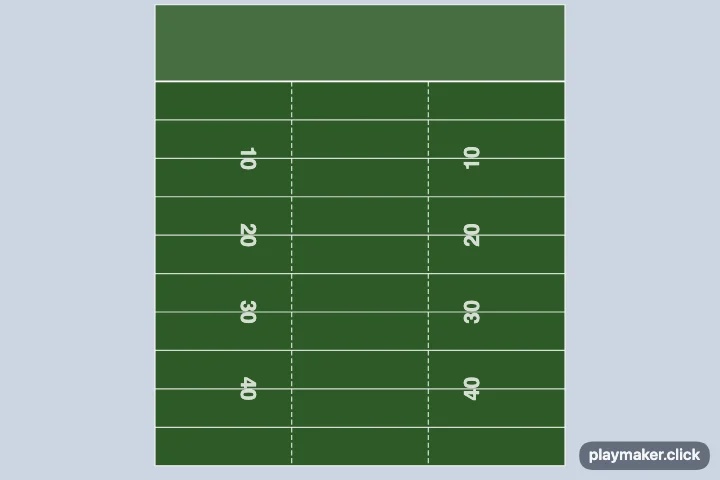
Open the template and pick the slide closest to the play you want, or the blank field. Right-click the field picture and choose Send to Back, so it stays under everything you draw. On Microsoft 365 you can also right-click it and choose Lock, and it stops moving when you click near it.
Add the players
Go to Insert, then Shapes, then Oval, and hold Shift as you drag to get a circle. Type a letter while the circle is selected (Q, X, Z, Y) and it goes inside it. Copy the first player with Ctrl+D, or Cmd+D on a Mac, rather than drawing eleven.
Draw the routes
Go to Insert, then Shapes, then Line Arrow for a straight route. For a route with a cut, choose Freeform Shape, click once at the player, once at each break, and double-click where the route ends. Then open Shape Outline, then Arrows, and pick an arrowhead. Make motion a dashed line under Shape Outline, then Dashes.
Group the play
Drag a box round everything except the field, or Shift-click each piece, then right-click and choose Group. Now the play moves as one piece, and a stray click cannot nudge one route off its player.
One slide per play
Right-click the slide in the thumbnail list and choose Duplicate Slide, then change the copy into the next play. Type the play's name or number in the title so it shows in the slide list and on the printout.
Print or share it
File, then Print, with Full Page Slides for one play a page, or a handout layout for two or four a page. To send it to players, save it as a PDF: they cannot change it, and it opens on any phone.
How to draw a play in Google Slides
Open the template in Google Slides
Upload the template to Google Drive, open it, and choose Open with Google Slides, then File and Save as Google Slides. To add the slides to a deck you already have, open that deck and use File, then Import slides.
Add the players
Go to Insert, then Shape, then Shapes, then Oval, and hold Shift as you drag to get a circle. Double-click the circle to type a letter in it. Copy it with Ctrl+D, or Cmd+D on a Mac.
Draw the routes
Go to Insert, then Line, then Arrow for a straight route. For a route with a cut, choose Polyline, click at the player and at each break, and double-click where the route ends. Use Line end in the toolbar to add the arrowhead and Line dash for motion.
Group the play
Select every player and route, then right-click and choose Group, so the play moves as one piece.
One slide per play
Right-click the slide in the list on the left and choose Duplicate slide, then change the copy into the next play.
Share or print it
Share the deck with your assistant coaches as view only, or use File, then Download, then PDF document for a file to print or send to players.
Download the template
Football formations slide template, 10 formations and 2 blank fieldsPowerPoint (.pptx) · 1452 KBIn Google Slides, upload it to Google Drive and choose Open with Google Slides. On a Mac it opens in Keynote too.
Why coaches use slides for a playbook
PowerPoint and Google Slides are already on the laptop, the school or club account already pays for them, and every assistant coach knows how to open a deck. A slide is the right size for one play, a deck is the right shape for a playbook, and when you are done you can print it, project it in the team room or save it as a PDF for the group chat. For a static diagram, that is a good answer, and the steps on this page are the quickest way we know to do it.
The part that takes the time is not the drawing. It is lining up eleven players on a field for every single play. So the template does that part for you.
What is in the free template
The template is one PowerPoint file. It opens in PowerPoint, in Keynote, and in Google Slides once you upload it to Google Drive. It has a cover, then one slide per formation, each with the formation drawn on a real field with the yard lines and hash marks in the right places:
- Six for eleven-a-side: the I formation, shotgun trips, singleback spread, five wide, a goal-line set and a cover 2 shell on defense.
- Four for flag football: the 5v5 spread and stack on a flag field, and 7v7 trips and bunch.
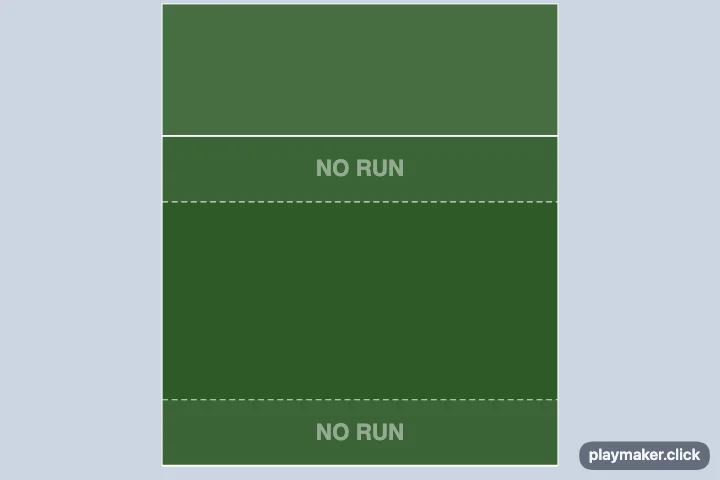
- Two blank fields, tackle and flag, for the plays that do not start from any of those.
Every slide says who lines up where, and has a link and a QR code that open the same formation in Playmaker. The pictures carry a small playmaker.click mark in the corner. That is the only catch.
How to draw a play on a slide
The steps are the same idea in both apps: put the field at the back, add players as circles, draw routes as arrows, group them so they move together, and make one slide per play. The two lists above say exactly where each button is in PowerPoint and in Google Slides.
A few habits make a slide playbook much easier to live with:
- Keep one look. Offense as circles, defense as letters or triangles, routes solid, motion dashed, blocks as a short line with a bar across the end. Then nobody needs a key.
- Draw the route from the player. Start every arrow on the edge of the circle that runs it. A route that floats near a player is the one an eight-year-old runs from the wrong spot.
- Name the slide, not just the picture. The title is what shows in the slide list, the outline and the printout, so put the play's call or number there.
- Duplicate, do not redraw. Copy the slide of the play that is closest and change one thing. That is how a ten-play deck takes an evening and not a weekend.
Where slides stop being the right tool
Be honest with yourself about three things before you build forty slides.
A slide cannot show the play moving. A diagram shows where everyone ends up, not when. Timing is what makes a mesh or a stack switch work, and an arrow cannot show that the slot breaks after the outside man clears. PowerPoint can move a shape along a motion path, but it is one shape at a time, every path timed by hand, and Google Slides has no motion paths at all.
Changing a play is slow. Move a player and his route stays where it was. Flip a play to the other side and you redraw it. A playbook you cannot change in a minute is a playbook you stop changing.
Sharing a deck is clumsy. Players open a PDF on a phone and pinch to zoom into a picture that was drawn for a projector.
That is the gap Playmaker fills. Open any formation from the template in the play creation tool, drag the routes, and press play: every player runs the play on the field at once. Send it to your team as a link that opens on any phone, with nothing to install. Drawing, animating and sharing are free, with no account.
If you print your plays, the free football wristband maker turns the numbers into a wrist coach insert, and the football formations page compares every formation in the template side by side.
Common questions
Is the football slide template free?
Yes. It is free to download, with no account and no email address. Each diagram carries a small playmaker.click mark in the corner, and that is the only catch.
Does the template work in Google Slides?
Yes. Upload the file to Google Drive, open it and choose Open with Google Slides. The formations, the text and the links all come across. It opens in Keynote on a Mac too.
Can PowerPoint animate a football play?
Partly. PowerPoint can move a shape along a motion path, so you can make a player run a route, but each player is a separate path timed by hand, and Google Slides has no motion paths at all. Playmaker animates every player at once when you press play.
Why does every slide link to Playmaker?
So you can open the same formation already lined up on the field, draw the routes and watch the play run. It is free, it needs no account, and you can share the play with your team as a link.
Can I add my own formations to the template?
Yes. Duplicate the blank field slide and draw the players on it, or open the blank field in Playmaker, line the players up there and download the picture to paste onto a slide.
How do I print a slide playbook?
Use Print with Full Page Slides for one play a page, or a handout layout for two or four plays a page. Save it as a PDF first if you want to send the same file to your players.
Watch the play run instead
Draw the routes once and press play: every player runs it on the field at once. Share it with your team as a link that opens on any phone. Free, with no account.
Draw it in PlaymakerPage updated · All templates